What the template holds
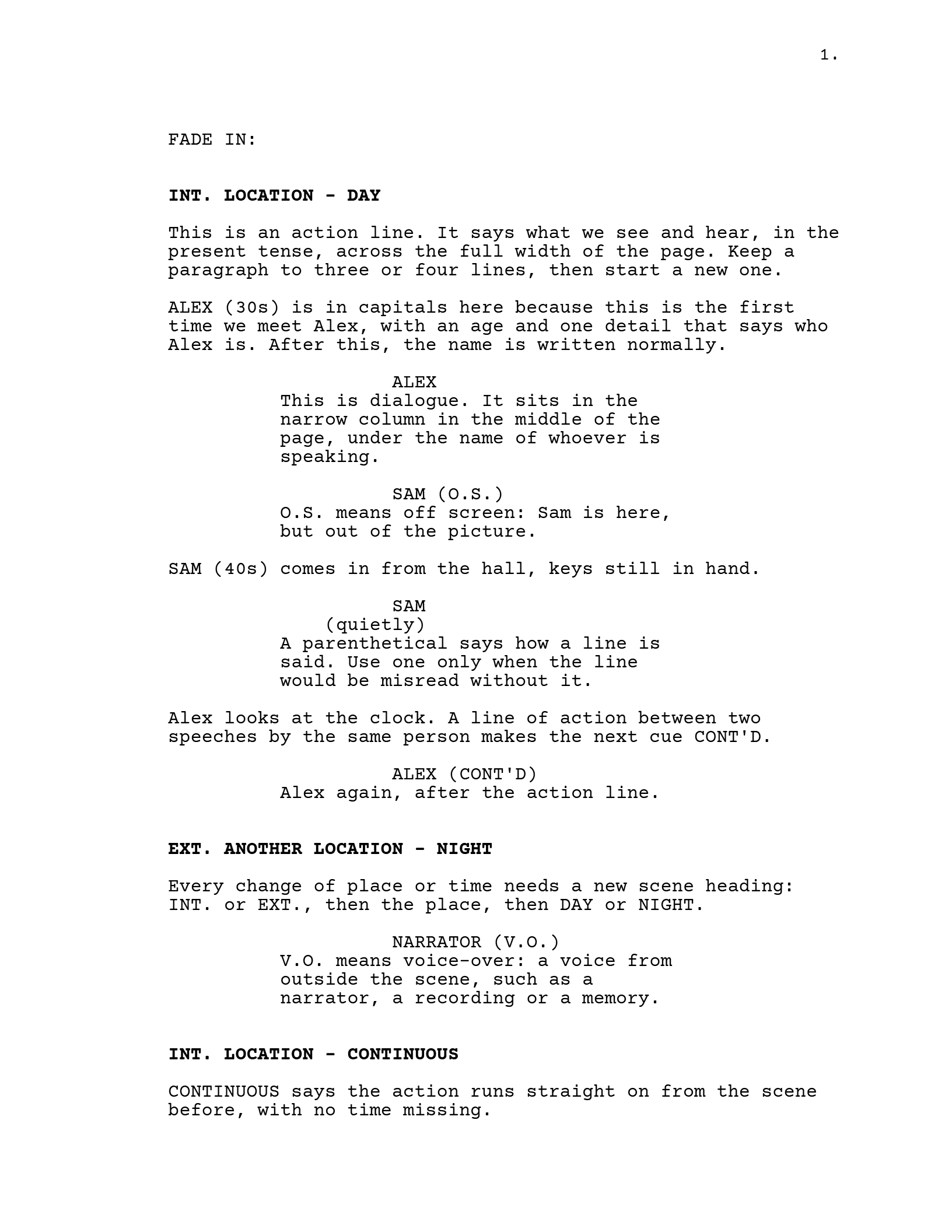
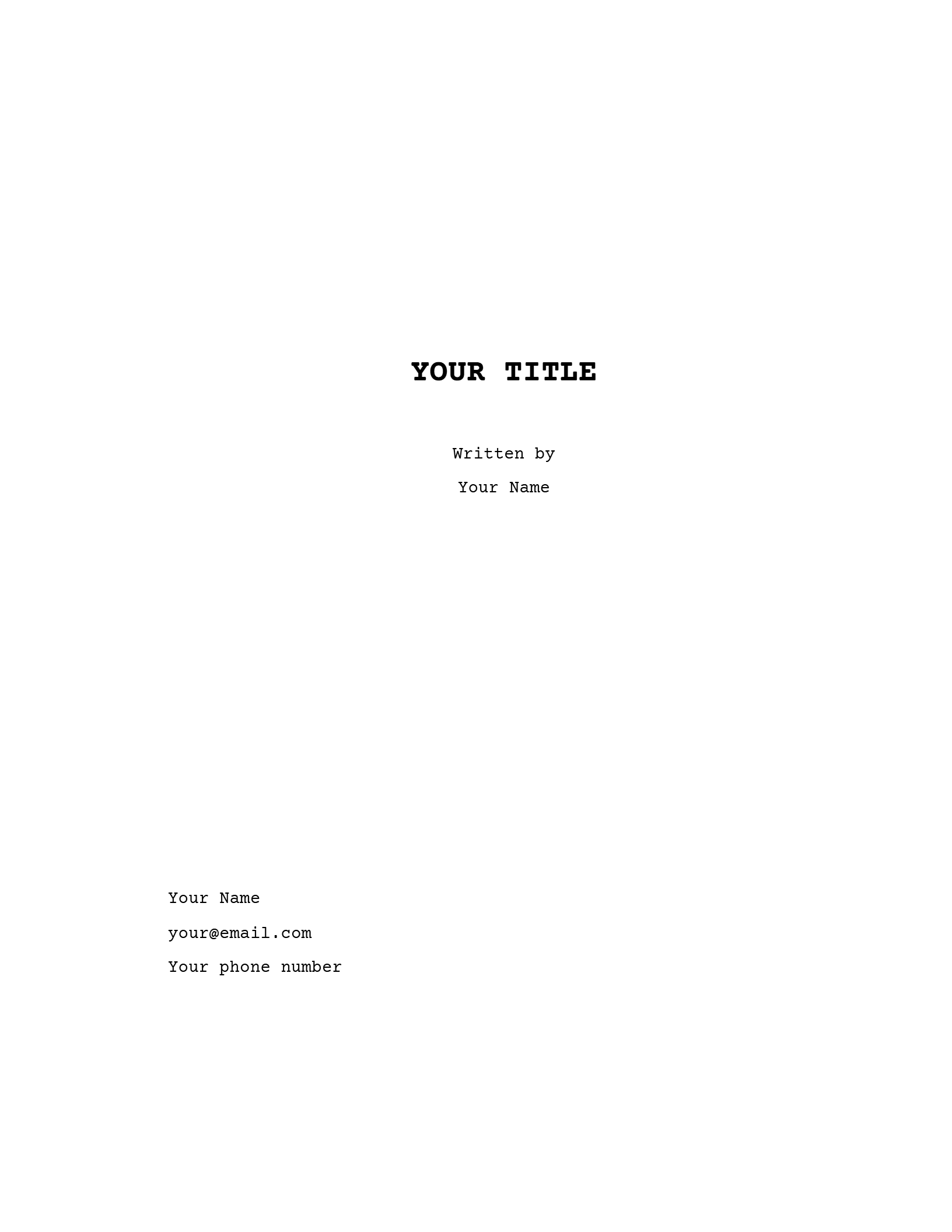
A title page and three pages of script. Every line is already the right kind of line, in the right place on the page, and every line explains itself: the action line says what an action line is for, the parenthetical says when to use one. Read it once, then type over it.
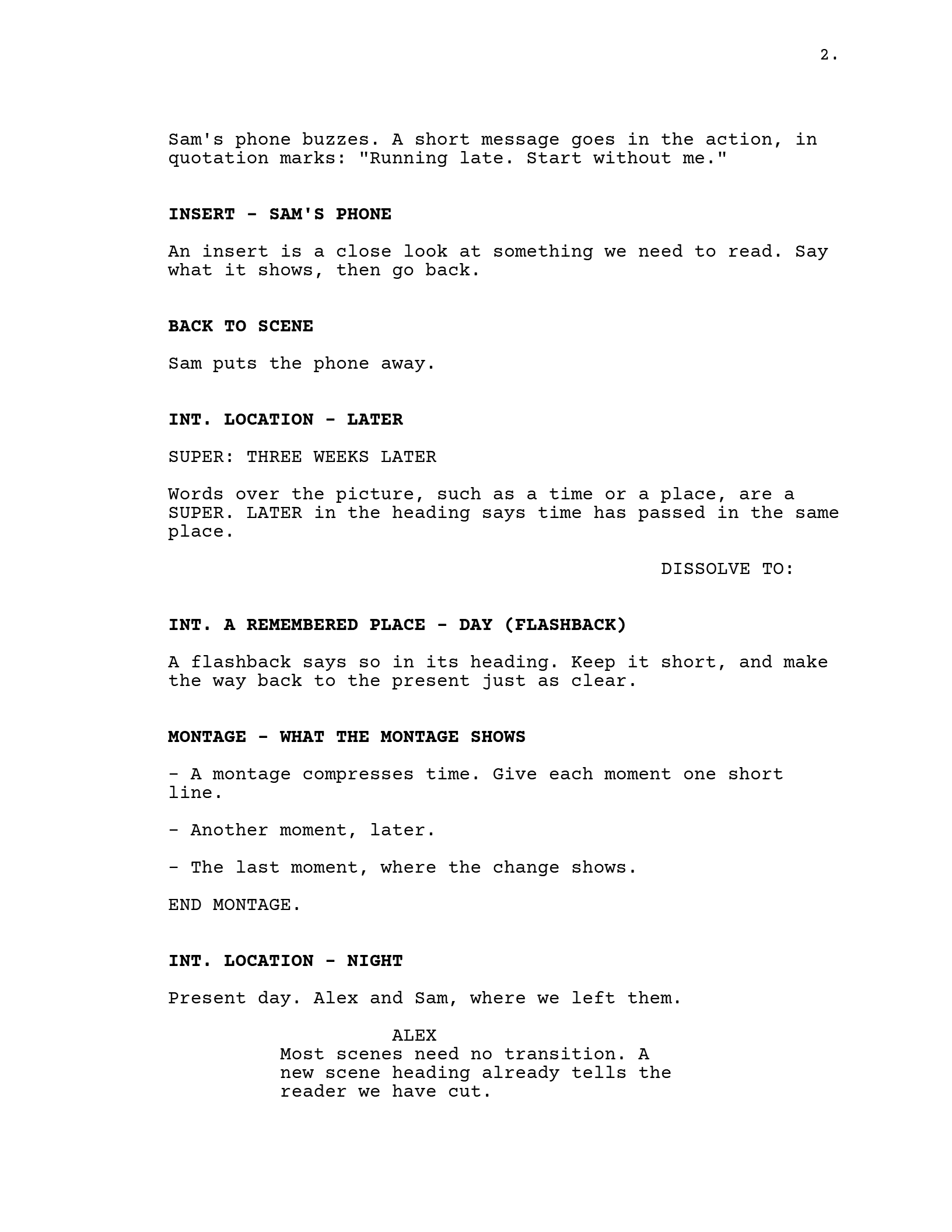
Between them, the pages show the elements most scripts use:
- Scene headings with
INT.andEXT.,DAYandNIGHT,CONTINUOUSandLATER. - Action, with a character introduced in capitals the first time.
- Dialogue and a parenthetical, with the three tags a name can carry:
(O.S.),(V.O.)and(CONT'D). - A text message in the action, an insert, a SUPER, a flashback and a montage.
- One transition, a dissolve into the flashback, and
FADE IN:andFADE OUT.at either end.
The layout is the one Final Draft uses and the formatting guide measures: Courier 12 point, a 1.5-inch left margin, dialogue from 2.5 to 6 inches. How to format a screenplay explains each of those rules on real pages.
Which file to download
The template comes in four formats and two paper sizes. Pick the format your program opens, and the paper size used where you are sending the script.
| If you write in | Download | What you get |
|---|---|---|
| Final Draft | Final Draft (.fdx) | Opens as a Final Draft script, with the title page and the page setup already in it. |
| Word, Pages, Google Docs or LibreOffice | Word (.docx) | One named style for each kind of line, so the layout stays right as you type. See the next section. |
| Another screenwriting program | Final Draft (.fdx) or Fountain | Most programs open Final Draft files, and many read Fountain, a plain text format for scripts. |
| Nothing yet: you want to read it or print it | The template exactly as a reader would see it. |
US Letter or A4? Letter for the United States and Canada, A4 almost everywhere else, including the UK, Ireland, the rest of Europe and Australia. The words are identical; an A4 page is a little taller, so the same script runs a few pages shorter on it.
Using it in Word or Google Docs
The Word file is built on styles. Each kind of line has one, named for what it is: Scene Heading, Action, Character, Parenthetical, Dialogue and Transition. Click into a line, choose a style from the Styles list, and the line moves to its place on the page. The styles also know what usually comes next, so pressing Enter after a character name gives you a Dialogue line, and Enter after dialogue goes back to Action.
- Open the Word file. In Google Docs, use File, Open, Upload, and choose it.
- Change the title page: your title, your name, your contact details.
- Type over the example lines, keeping each line's style, or delete them and start from
FADE IN:. - Add a new line, press Enter, and set its style if it isn't the one you want.
- When you send it, save it as a PDF. Readers expect one, and many won't open a Word file at all.
A word processor still needs watching at the page breaks. The template's styles keep headings, names and parentheticals with the line after them, which catches most bad breaks, but look at the foot of each page before you send it anyway. Word also won't add (MORE) and (CONT'D) when a speech runs onto the next page. On a short script that hardly matters. On a feature it adds up, and that is usually the point where writers switch to a screenwriting program.
If you have a script in Word or Google Docs whose layout has gone wrong, the free screenplay formatter can sort it out. It works out what each line is and gives the script back in this layout as a PDF, a Word file, a Final Draft file or Fountain.
Using it in a screenwriting program
Open the Final Draft or Fountain file and the template arrives as
a script, with every line already marked as the element it is. From
there the program does the layout: you choose an element and type,
and it handles the margins, the page breaks and the
(MORE) and (CONT'D) marks.

In ScriptopusFile, Import opens the Final Draft or Fountain file as a new project, on the template's page setup. Tab and Enter move between elements as you type, and Ctrl + 1 to 6 (Cmd on a Mac) set one directly. Importing and exporting Final Draft and Fountain files is part of the free plan.
You may not need the template at all in a screenwriting program,
since a new script starts in this layout anyway. It is still
useful as a reference page: open it beside your own script when you
can't remember how a SUPER or an INSERT
is laid out.
Short films and television
A short film uses exactly the same page, so this template works as it is. Keep it short in the other sense too: festivals programme short films by their running time, and at about a minute a page, every page you cut makes the film easier to place.
An hour-long drama or a single-camera comedy also uses the film layout, with act breaks added: each act starts on a new page with its name at the top. Multi-camera sitcoms are laid out differently, with double-spaced dialogue and action in capitals. The television section of the formatting guide shows both side by side.
Download the template
Free to use for any script. We don't ask for a sign-up or an email address. Every file holds the same title page and the same three pages.
US Letter
For scripts going to the United States or Canada.
A4
For the UK, Ireland, Europe, Australia and most other places.
Questions
Is the template really free?
Yes. Download it, change it, and use it for as many scripts as you like, including ones you sell.
Which font does it use?
Courier, 12 point. The PDF is set in Courier Prime, a Courier drawn for screenplays. The Word file uses Courier New, because every Windows and Mac computer has it, and it keeps the same ten letters to the inch, so the lines wrap in the same places.
Should I keep FADE IN: and FADE OUT.?
Neither is required, but most scripts still use them and readers are used to seeing them. If you keep them, FADE IN: sits at the left margin at the very start, and FADE OUT. at the right at the very end.
Do I need to number my scenes?
Not in a script you are sending to readers or competitions. Scene numbers arrive with the shooting script, when a crew needs to point at the same scene. The template has none.
How long should my script be?
For a feature, 90 to 120 pages is the comfortable range, at roughly a page a minute. Competitions set their own limits, so check the rules before you send.
Can I paste my own script into the template?
You can, but every pasted line will need its style set by hand. If the script already exists, the free formatter is quicker: it sets the elements for you and gives back a Word or Final Draft file.
Write it formatted from the first line
Scriptopus sets every line as you type, keeps the beat board and the treatment beside the script, and exports the PDF and Final Draft file you will need. The editor is free on Mac and Windows.
- Every element in its place, with Tab, Enter and Ctrl+1 to 6.
- Beat Board, Treatment and Synopsis in the same project as the script.
- Six title page layouts, Industry Standard first.
- PDF, Final Draft, Fountain and Celtx exports.